
Your shop might be in Ogden, but your customers are in Layton, Roy, Kaysville, and Bountiful. Maybe you drive to job sites from Provo to Lehi, or you cover St. George, Washington City, and Hurricane. When someone in one of those cities searches for what you do, can your website show them that you serve their area?
That's the job of a service area page: a page on your website about the work you do in a specific city or region. Done well, these pages help customers and search engines understand where you work. Done badly, with the same page copied over and over with a different city name swapped in, they can backfire. This guide shows Utah small business owners how to build service area pages the right way, using Google's own guidelines.
What Is a Service Area Page?
A service area page is a page on your website for one city or region you serve, such as "Roofing in Layton, UT" or "House Cleaning in St. George." It tells visitors three things quickly:
- Yes, you work in their area.
- Which of your services are available there.
- How to contact you or book.
Service area pages live on your website. They're different from the service area setting in your Google Business Profile, which controls where your listing says you serve on Maps. You'll want the two to match, which we cover below. If you haven't set up your profile yet, start with our Google Business Profile checklist for Utah.
Does Your Business Need Service Area Pages?
They're most useful for businesses that travel to customers or serve several distinct communities. Think plumbers, HVAC techs, landscapers, cleaners, photographers, mobile mechanics, and contractors.
You may not need separate city pages if:
- You only serve one city or a small area. A clear "Areas We Serve" section on your home or contact page may be enough.
- You don't have anything different or useful to say about each city. A page with nothing unique on it doesn't help anyone.
- Customers come to your storefront rather than you going to them. Your address, hours, and directions matter more.
Google's SEO Starter Guide is blunt about the basics: there are no secrets that will automatically rank a site first, and creating content people find compelling and useful will likely influence your site's presence in search more than anything else in the guide. (Google Search Central: SEO Starter Guide) City pages are worth building only if they're genuinely useful to the people in those cities.
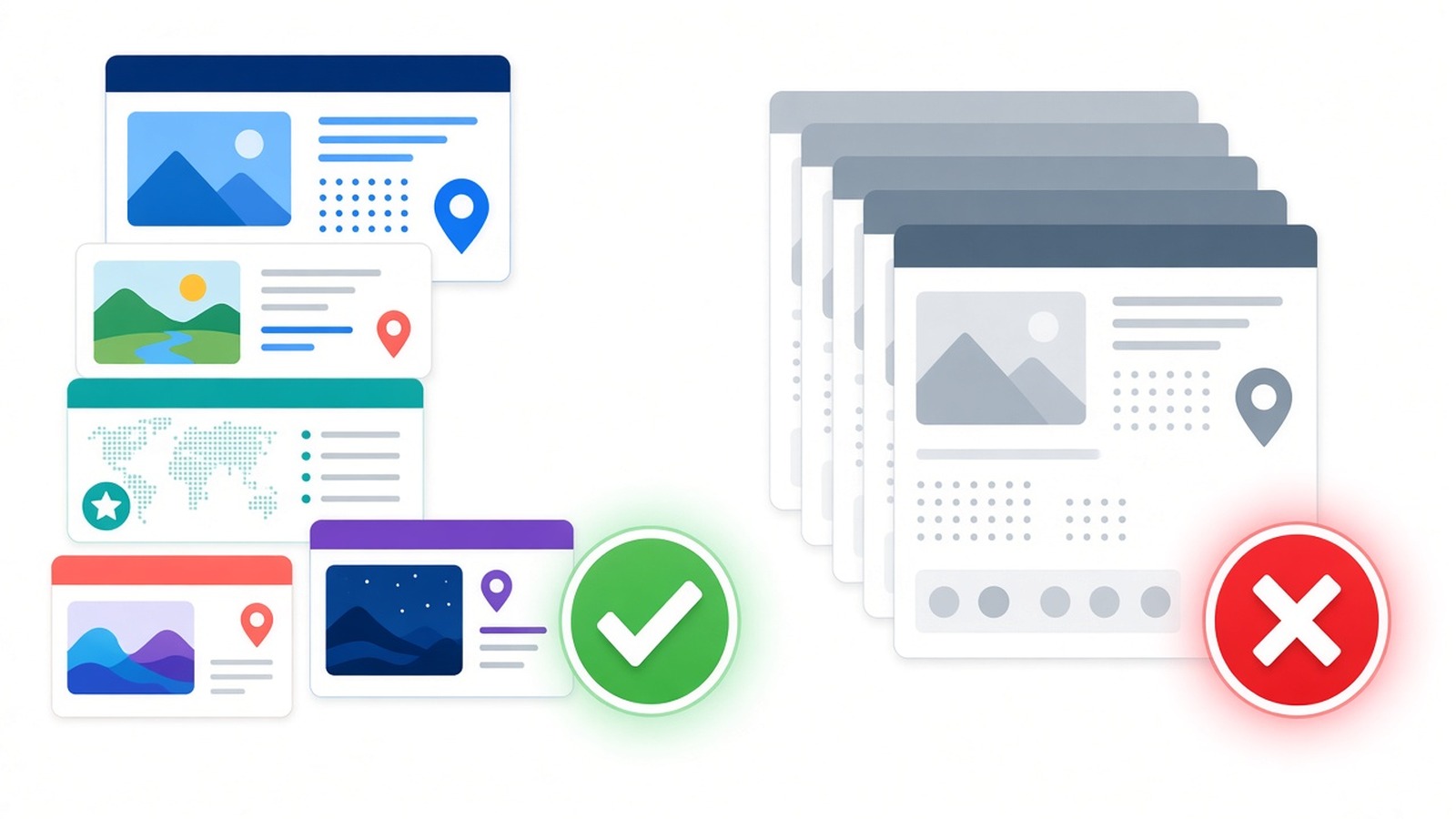
Helpful City Pages vs. Doorway Pages
This is the part most businesses get wrong. Google's spam policies describe doorway abuse as sites or pages created to rank for specific, similar search queries that lead users to intermediate pages that aren't as useful as the final destination. One of Google's listed examples is having multiple domain names or pages targeted at specific regions or cities that funnel users to one page. (Google Search Central: Spam policies for Google web search)
The same policy page lists other traps that city pages often fall into:
- Keyword stuffing: Google's examples include blocks of text that list cities and regions a page is trying to rank for.
- Scaled content abuse: generating many pages mainly to manipulate rankings rather than help users, including using generative AI or similar tools to create many pages without adding value.
Google says sites that violate its spam policies may rank lower or not appear in results at all. So the goal isn't "a page for every city in Utah." The goal is a page for each area you actually serve, with real information a customer in that area would want.
Google's guidance on people-first content offers a useful gut check: would your audience find the page useful if they came to you directly, and will they leave feeling they learned enough to reach their goal? (Google Search Central: Creating helpful, reliable, people-first content) A simpler test: if you could swap the city name on the page for another city and nothing else would need to change, the page isn't adding value yet.
What to Put on Each Service Area Page
Here's what makes a city page useful. You don't need every item on every page, but each page should have real details that only apply to that area.
- The services you really offer there. If you do installs in Ogden but only repairs in Logan, say so. Honesty prevents wasted calls.
- Practical details for that area. Typical scheduling or response windows, whether there's a trip charge, which neighborhoods or nearby towns the page covers, and any seasonal needs your customers there tend to have.
- Real work from that city. Photos and short write-ups of jobs you've done there, with your customer's permission. Describe the problem, what you did, and the result, without inventing numbers.
- Real reviews from customers in that area. Only use genuine reviews, and only with permission where needed. Never write or edit testimonials yourself. Our guide to getting more Google reviews covers how to ask for them the right way.
- Local questions and answers. Answer what people in that area actually ask you. If something depends on the city, such as permits or HOA rules, tell customers to check with their city or HOA rather than guessing.
- Clear contact information and a next step. Your business name and phone number, matching your Google Business Profile, plus a call, text, or quote button.
- A unique title and meta description. Google recommends titles that are unique to the page, clear and concise, and accurately describe it, and it says a good meta description is short, unique to one page, and includes its most relevant points. (Google Search Central: SEO Starter Guide)
How to Organize Your Service Area Pages
A clean structure helps both visitors and search engines understand how your pages relate to each other.
- Create one "Areas We Serve" hub page that lists your service areas and links to each city page.
- Use descriptive URLs such as
/areas/laytonor/service-areas/st-george. Google's starter guide recommends including words in the URL that are useful to users, instead of random identifiers. - Link between related pages with clear link text. Link each city page back to the hub and to the relevant service pages, and link from your service pages to the areas where they're offered. Google says good link text tells users and Google something about the page you're linking to.
- Keep each city to one page. Don't create several near-identical pages for the same city and service. Google's starter guide recommends each piece of content be reachable through one URL where possible.
- Make every page reachable from your menu or hub. A city page nobody can click to from your site looks like a doorway, not part of a clear, browseable site.
Match Your Website to Your Google Business Profile
Your city pages and your Business Profile should tell the same story. Google's Business Profile guidelines and help pages say:
- Service-area businesses should have one profile for the central office or location, with a designated service area.
- You can set up to 20 service areas based on cities, postal codes, or other areas, and the overall area generally shouldn't extend farther than about 2 hours of driving time from where your business is based.
- If you don't serve customers at your business address, such as a plumber working from home, you should hide your address and show only your service area.
- Virtual offices aren't eligible unless they're staffed during business hours. Don't set up fake addresses in other cities to look local.
(Google Business Profile Help: Guidelines for representing your business on Google and Manage your service areas)
A practical rule: the cities in your Business Profile service area, your website's service area pages, and the places you'd actually send a truck should all line up.
Set Realistic Expectations
Service area pages help customers and search engines understand where you work, but they're not a shortcut to the map results everywhere. Google says local results are mainly based on relevance (how well a listing matches the search), distance (how far the business is from the searcher), and prominence (how well-known the business is, based on information like links and reviews). Google also says there's no way to request or pay for a better local ranking. (Google Business Profile Help: Tips to improve your local ranking)
You can't change distance, but you can make your website clearer and more useful for the areas you serve. And Google's starter guide notes that some changes may take a few hours to show up while others can take several months, so give new pages a few weeks before you judge them.
How to Tell If Your City Pages Are Working
Google Search Console shows which searches and pages bring people to your site. Once your city pages are live:
- Use the URL Inspection tool to check that each new page can appear on Google.
- In the Performance report, open the Pages tab to see impressions and clicks for each city page.
- Check the Queries tab for searches that include the city names you serve.
- Track real results too: calls, texts, and quote requests from those cities.
New to Search Console? Our step-by-step guide to setting up Google Search Console walks you through it.
Common Service Area Page Mistakes
- Copy-paste pages with only the city name changed. This is the classic doorway pattern Google warns about.
- A long list of every city and town in the footer or on one page. Google lists blocks of city names as an example of keyword stuffing. A short, honest list of the areas you serve, linked to useful pages, is different.
- Pages for places you don't really serve. They bring in calls you'll have to turn away and can frustrate customers.
- Mass-producing pages with AI and publishing them unedited. Google's scaled content policy applies no matter how the pages are created.
- Fake local addresses or phone numbers. Google's Business Profile rules don't allow virtual offices that aren't staffed, and invented details hurt trust.
- Made-up reviews or stats. Use only real reviews and real job details.
- Orphan pages. If a city page isn't linked from your site, visitors won't find it either.
Service Area Page Checklist for Utah Businesses
- List the cities you actually serve and want more work in.
- Make sure your Google Business Profile service area matches that list (up to 20 areas, within about 2 hours' drive).
- Create an "Areas We Serve" hub page linked from your menu or footer.
- Build one page per city with a descriptive URL, a unique title, and a unique meta description.
- Add real, city-specific content: services offered there, practical details, local job photos, and genuine reviews.
- Answer local questions honestly, and send people to their city or HOA for rules you can't confirm.
- Include your name and phone number, matching your Business Profile, plus a clear call to action.
- Link each city page to the hub and to the related service pages.
- Check each new page with URL Inspection in Search Console.
- Review the Pages and Queries reports monthly, and keep improving the pages that matter most.
Frequently Asked Questions
How many service area pages should I have?
There's no magic number. Google's starter guide says content length alone doesn't matter for ranking, and the same thinking applies to page counts. Start with the cities you actually serve and can write something genuinely useful about, then add more as you collect real jobs, photos, and reviews there.
Can I use the same page for every city and just change the name?
It's not a good idea. Substantially similar pages targeted at different cities match the doorway examples in Google's spam policies. Each page should have content that only makes sense for that area.
Can I use AI to write my city pages?
AI can help with a first draft, but Google's scaled content abuse policy covers using generative AI to create many pages without adding value for users. Edit every page, add your own job details and photos, and make sure it's accurate before you publish.
Will a city page get me into the map results in that city?
Not on its own. Google says local results are mainly based on relevance, distance, and prominence. A strong city page can make your business clearer and more relevant to customers in that area, but nobody can promise map rankings.
Should I put my home address on my website if I work from home?
That's your choice for your website, but on your Google Business Profile, Google says a service-area business that doesn't serve customers at its address should hide it and show a service area instead. Your website can list the cities you serve and your phone number.
Get Help With Service Area Pages in Utah
1 Day Website Utah has helped Utah businesses since 2014 from our home base in Ogden. We build fast, mobile-friendly websites and offer local SEO for Utah small businesses, so customers in the towns you serve can find you and reach you. Our plans start with a 14-day free trial.
Want help planning city pages that actually serve your customers? Contact us or request a free quote. You can also call or text (385) 999-2468 or email hello@1daywebsiteutah.com.
Sources
- Google Search Central, "Spam policies for Google web search": developers.google.com/search/docs/essentials/spam-policies
- Google Search Central, "Search Engine Optimization (SEO) Starter Guide": developers.google.com/search/docs/fundamentals/seo-starter-guide
- Google Search Central, "Creating helpful, reliable, people-first content": developers.google.com/search/docs/fundamentals/creating-helpful-content
- Google Business Profile Help, "Guidelines for representing your business on Google": support.google.com/business/answer/3038177
- Google Business Profile Help, "Manage your service areas for service-area & hybrid businesses": support.google.com/business/answer/9157481
- Google Business Profile Help, "Tips to improve your local ranking on Google": support.google.com/business/answer/7091
Ready to get your business online?
1 Day Website Utah has been helping Utah businesses build fast, high-converting websites since 2014. Let's talk about yours.